Pet food pantry management software
Run your pet food pantry your way.
Customize household and pet intake forms. Check families in at multiple outreach locations. See exactly what food and supplies your team distributed.
From $15/month per organization. Eligible new accounts get 7 days free. Payment method required; cancel before the trial ends to avoid the first charge.
One organization license
No per-user fees
Windows + web access
Secure cloud sync
Community impact
What participating pantries have provided.
Live, anonymous totals from participating organizations.
See the methodologyConnecting to the latest impact totals…
How Pet Pantry Pro works
From your intake form to your distribution report.
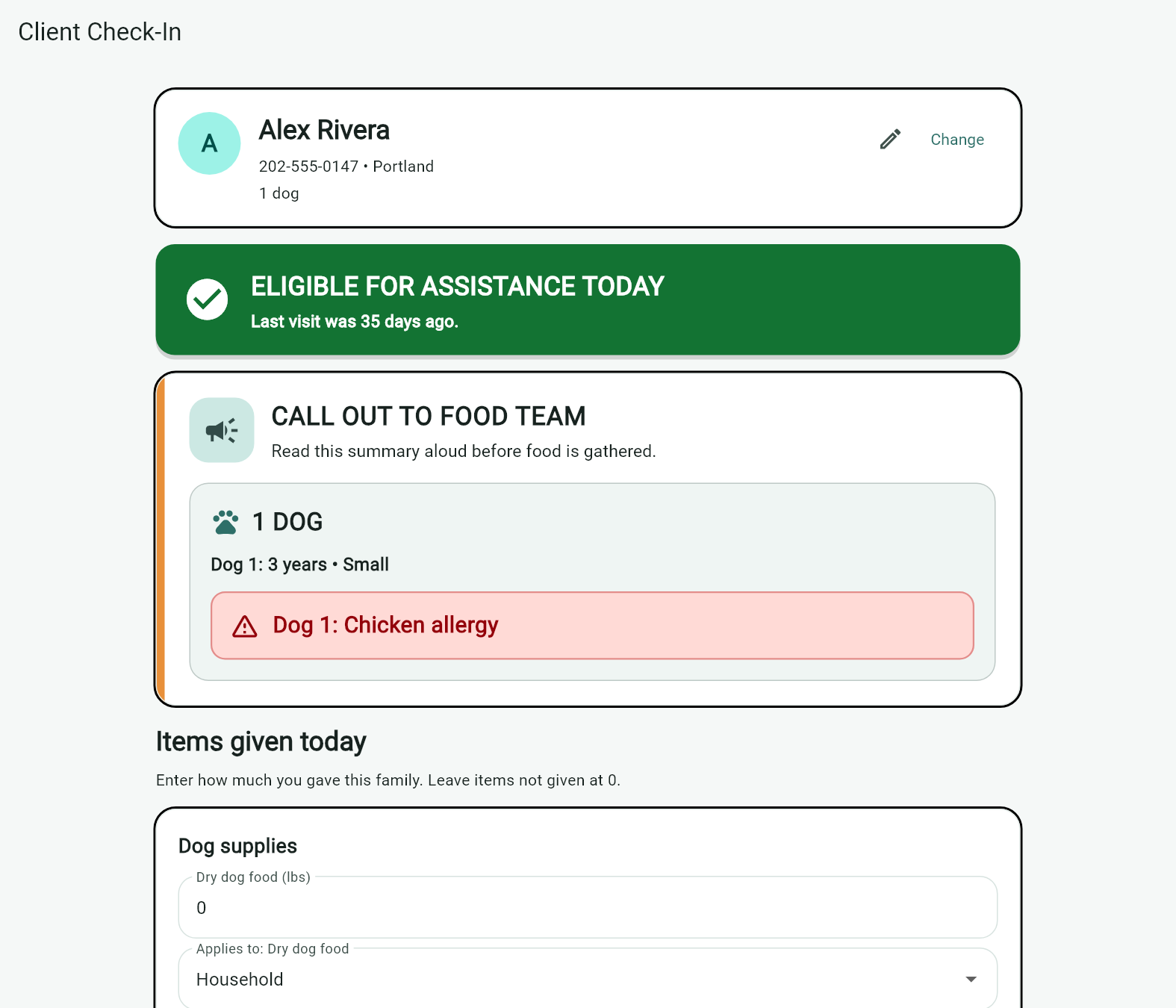
Follow a visit at a sample pantry. Select any screenshot for a closer look.
-
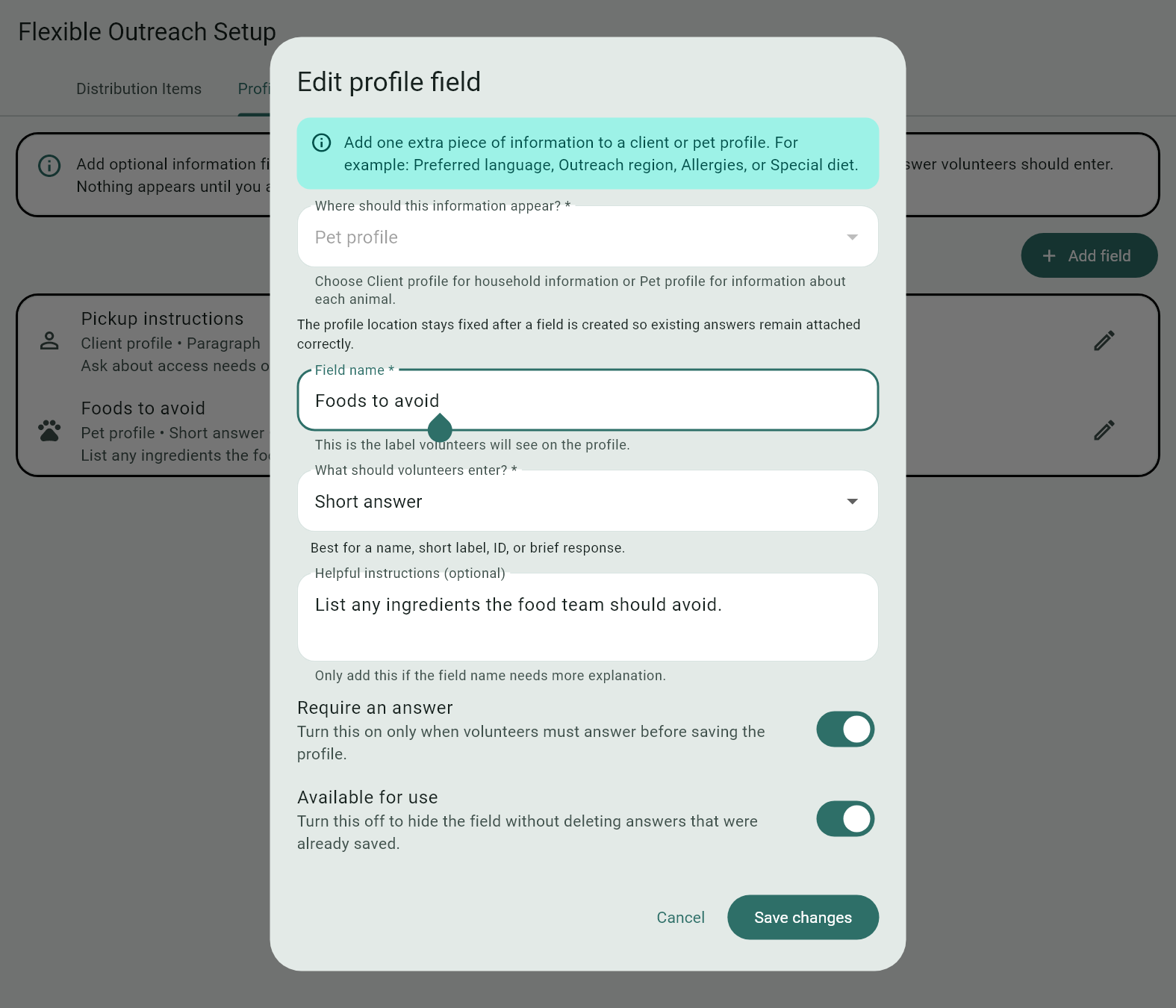
Customize your intake
Choose which household and pet fields to show or require. Add your own questions, such as which food a pet needs to avoid.
 See intake options
-
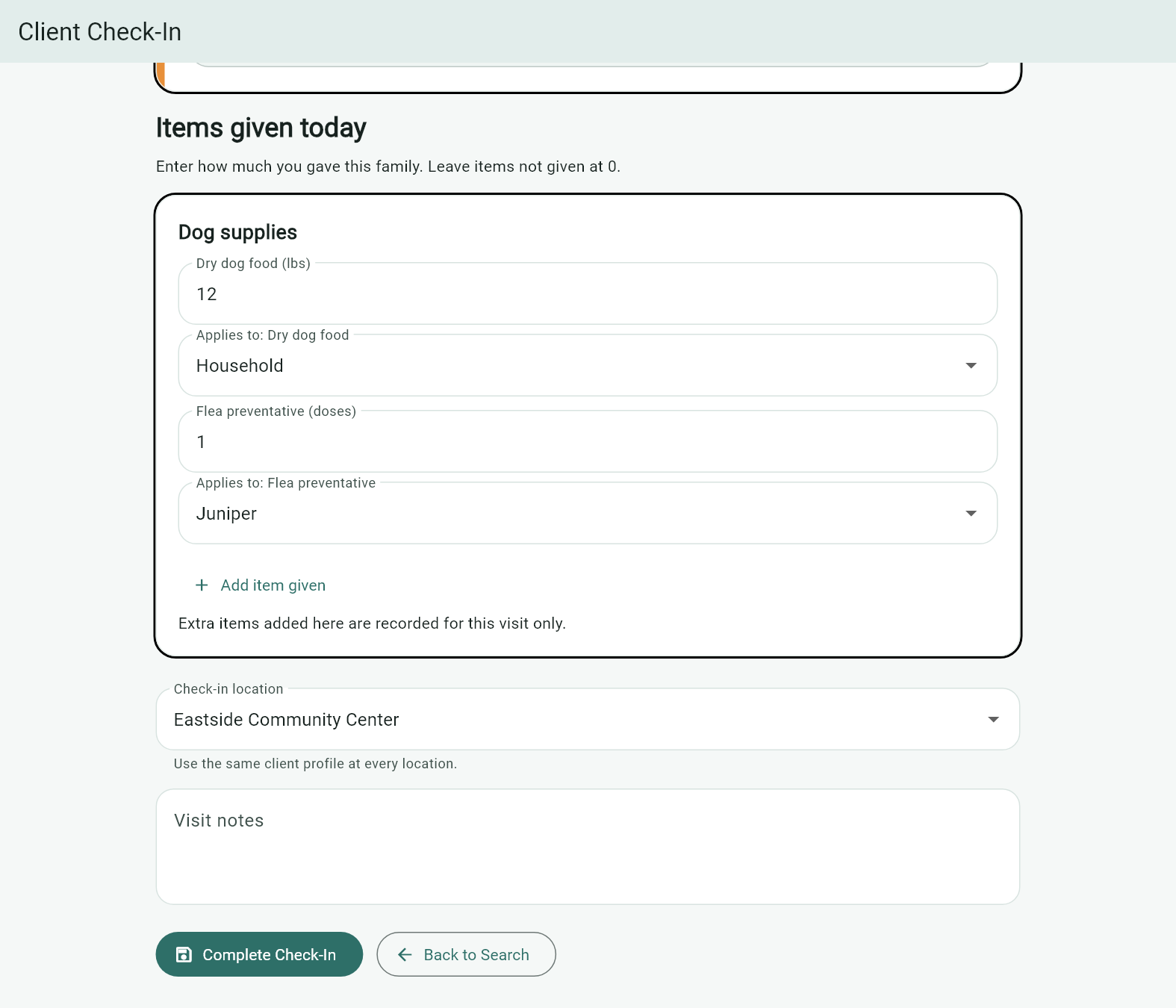
Check in at any saved location
Find the same household at your main pantry or a pop-up. At Eastside Community Center, staff log dog food for the household and flea prevention for Juniper.
 See check-in and eligibility
-
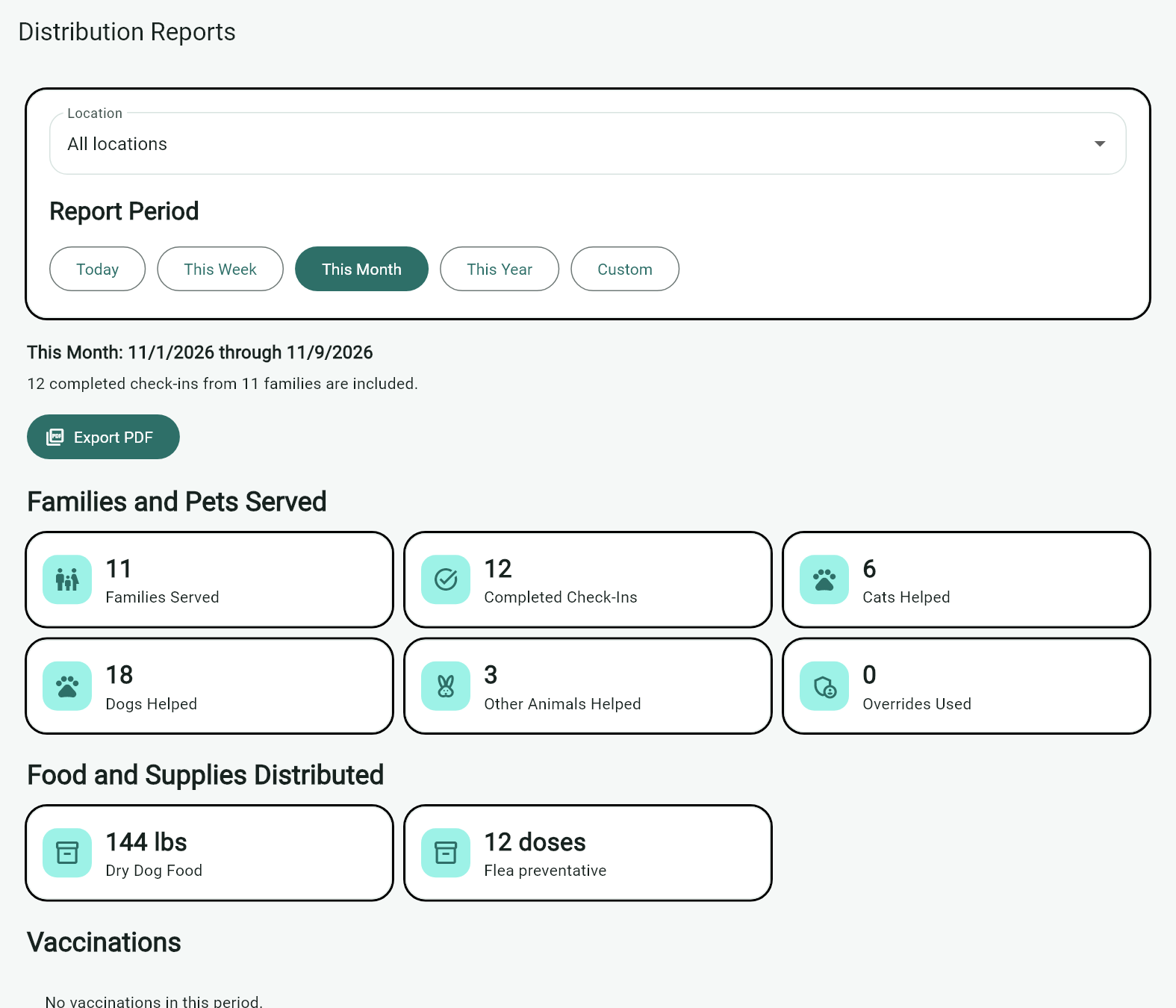
See what you distributed
Filter by date and outreach location to see households served, visits, pets helped, and itemized totals for food and supplies.
 View a sample report (PDF)
Know every family and pet
Save each pet’s name and details, including rabbits, parakeets, and other animals alongside cats and dogs.
See client managementApply your eligibility rules
Set the time between visits, see when a household can return, and document exceptions when needed.
See check-in toolsLog what you give out
Set up the items and units you use, from pounds of food and bags of litter to doses of flea prevention.
See distribution toolsKeep records available
Work offline on Windows, synchronize supported changes, and keep independent backups.
See data protectionMake the forms fit your pantry
Collect the information your program needs with configurable fields, custom questions, and animal types.
Explore profile setupShare your distribution totals
Export a PDF with families served, completed visits, pets helped, and the food and supplies your program gave out.
Explore distribution reportsEligible new accounts. Payment method required; cancel before the trial ends to avoid the first charge.
Who it’s for
Built for the way you help.
Whether pet food assistance is your whole mission or one important part of it, Pet Pantry Pro helps your team run a respectful, accountable program.
Pet food banksStreamline operations and serve more families in your community.
Animal rescuesSupport outreach and surrender-prevention programs.
Foster-based organizationsKeep assistance records organized across your network.
Community pet programsRun a dependable pet supply program without extra paperwork.

Made forthe helpers
From the founder
Why we built Pet Pantry Pro
At our pet food pantry, we tracked visits in Excel. Every time a family came back, we asked for their name and their pets’ names all over again. It didn’t feel welcoming. On days when we served more than 50 families, those repeated questions added a lot of time to check-in.
We looked for software built for an animal food pantry and couldn’t find one. We tried adapting software made for human food pantries, but it still didn’t fit how we worked. So I decided to build our own.
Pet Pantry Pro made a difference right at the check-in table. We could pull up a returning family’s record, remember their pets by name, and spend more of the visit helping them. Once I saw what it did for our pantry, I decided to share it with pet food pantries around the world.
Our promise
Build with dignity, listen to the people doing the work, and protect every organization’s data as if it were our own.
Local-first data safety
Your pantry keeps moving—even when the internet doesn’t.
The Windows application keeps pantry records locally for offline work. When connectivity returns, supported changes synchronize with the linked pantry. The web portal gives your team another way to access the service while online.
How your data is protectedLocal-first reliabilityServe clients during an internet outage
Automatic synchronizationSafely retry supported changes when online
Recoverable recordsRestore accidentally deleted clients
Manual backupsKnow exactly where each backup is stored
A practical place to start
Build a calmer pantry service day.
Planning a new program or replacing scattered spreadsheets? Start with a clear intake, eligibility, distribution, and reporting workflow.
Read the pet food pantry guide- Opening and volunteer checklist
- Sample distribution record
- Reporting measures to agree on
- Links to the tools behind each step
Before you start
Questions pantry teams ask.
Need help choosing a plan or checking whether the workflow fits your program? Ask us about your setup.
Who is Pet Pantry Pro for?
Organizations that distribute pet food and supplies: dedicated pet food banks, rescue-led assistance programs, and community pantries. It manages the program’s records; it does not provide food assistance directly to individuals.
What does one organization pay?
Every billing term includes the complete product, with no per-user fees: $15 monthly, $80 every six months, or $150 annually, plus applicable taxes. Compare the billing terms.
How does the 7-day trial work?
Eligible new accounts choose a plan, create an administrator account, and add a payment method at secure Stripe checkout. Cancel before the trial ends to avoid the first charge. Otherwise, the selected plan is billed and renews automatically until canceled.
Can we work without internet access?
The Windows application keeps a local database for offline pantry work. Supported changes synchronize when connectivity returns. The web portal requires an internet connection. Read about offline work and backups.
Can we run more than one distribution site?
Yes. Set up your regular and pop-up locations, choose the site at check-in, and use the same household records across your program. Filter your distribution reports by location. See the check-in workflow.

Make the move today
Spend less time on paperwork. Serve more pets with confidence.
Try the complete platform for seven days. Eligible new accounts choose a plan and add a payment method; cancel before the trial ends to avoid the first charge.